Low-friction capture
The composer sits at the top of the page, with Markdown preview and backdating. On desktop there is a tray icon and a global hotkey (default Alt+Shift+J).
Jot the fragments, get the whole picture.
Capture short moments from life, learning and work — no long diaries or KPI-style reports. When you want to look back, let AI turn them into daily / weekly / monthly / yearly summaries.
Free and open source (MIT) · Works fully without any model configured
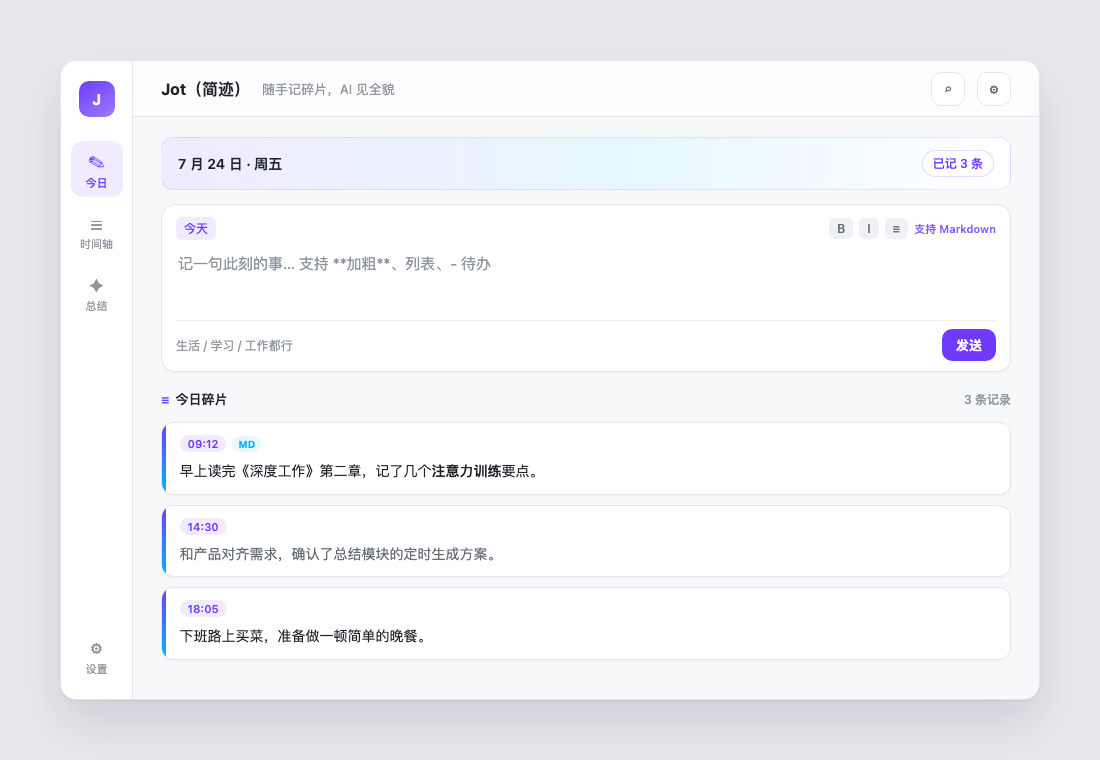
Today: jot a moment, keep it on your device, and let AI summarize when you want.
Capturing and summarizing are two separate things: capturing stays light and on-device; summaries are a dedicated module you generate only when you want.
| Focus | Daily fragment notes plus optional AI period summaries |
|---|---|
| Data | On-device SQLite by default; export and encrypted backup |
| AI | Local models (e.g. Ollama) or cloud models (OpenAI-compatible vendor presets) |
| Sync | Optional end-to-end encrypted snapshot sync on storage you own |
The composer sits at the top of the page, with Markdown preview and backdating. On desktop there is a tray icon and a global hotkey (default Alt+Shift+J).
Summaries build up period by period, with a condensed item list at the top that merges scattered fragments and groups them by period.
Pick one in Settings: balanced, concise, reflective or narrative.
When you regenerate or edit a summary, earlier versions are kept and can be restored anytime.
Local and cloud use separate endpoints, and cloud API keys are stored separately per vendor.
Get a reminder that it is time to summarize, or generate automatically. Auto-generation is opt-in.
Full-text search, plus an overview of the last 7 and 30 days and your current streak.
Installers for Windows, macOS and Android; the UI supports Chinese and English, with a soft purple accent.
MIT-licensed. Source code, installers and developer docs are all on GitHub.
Write whatever comes to mind: what you read, discussed or did. One sentence is enough.
Each fragment is filed by time on your device. Search it, backdate it — no network needed.
Choose a period and a style, then generate a daily, weekly, monthly or yearly summary. If you configure no model, it never happens.
All installers are published on GitHub Releases. Click through to the latest release and pick the file for your platform.
A setup wizard, plus a portable zip that needs no installation.
Separate builds for Apple Silicon and Intel. Open the DMG and drag the app to Applications.
Sideload the APK. Not on Play Store.
Note: The Android package is built by CI and signed with a debug keystore, so you need to allow installing apps from this source. There is no iOS installer yet; you can build it yourself with Flutter following the repository instructions.
Free, open source, and your data stays with you.